

Ticket types
A ticket’s type describes the kind of work. Its column describes its workflow stage. For example, a Bug can move from To Do to In Review without changing its type.
Manage and choose types
Owners manage the workspace’s Ticket types in Company settings. Projects have their own Ticket types settings for the choices available in that project. Types have a name and visual marker so they remain recognizable in ticket lists and selectors.
Choose Type while composing a page pin or editing a filed ticket. Draft walkthrough review offers Let Toado decide, Bug, and Feature request; custom workspace types are chosen after filing. On the board, selected tickets can have their type changed together through the bulk controls.
A hidden type can still appear on existing tickets. Hiding a choice does not require removing its classification from historical work. Keep names meaningful to teammates who triage captures and to agents reading the tickets.
Use types beyond the board
- Jira export maps Toado types to Jira issue types and can limit auto-send to selected types.
- Reports uses type classifications to distinguish bugs, improvements, features, other types, and untyped work in patterns.
- Page pins offers project ticket types. Walkthrough review offers its three draft classification choices, followed by workspace type editing on the filed ticket.
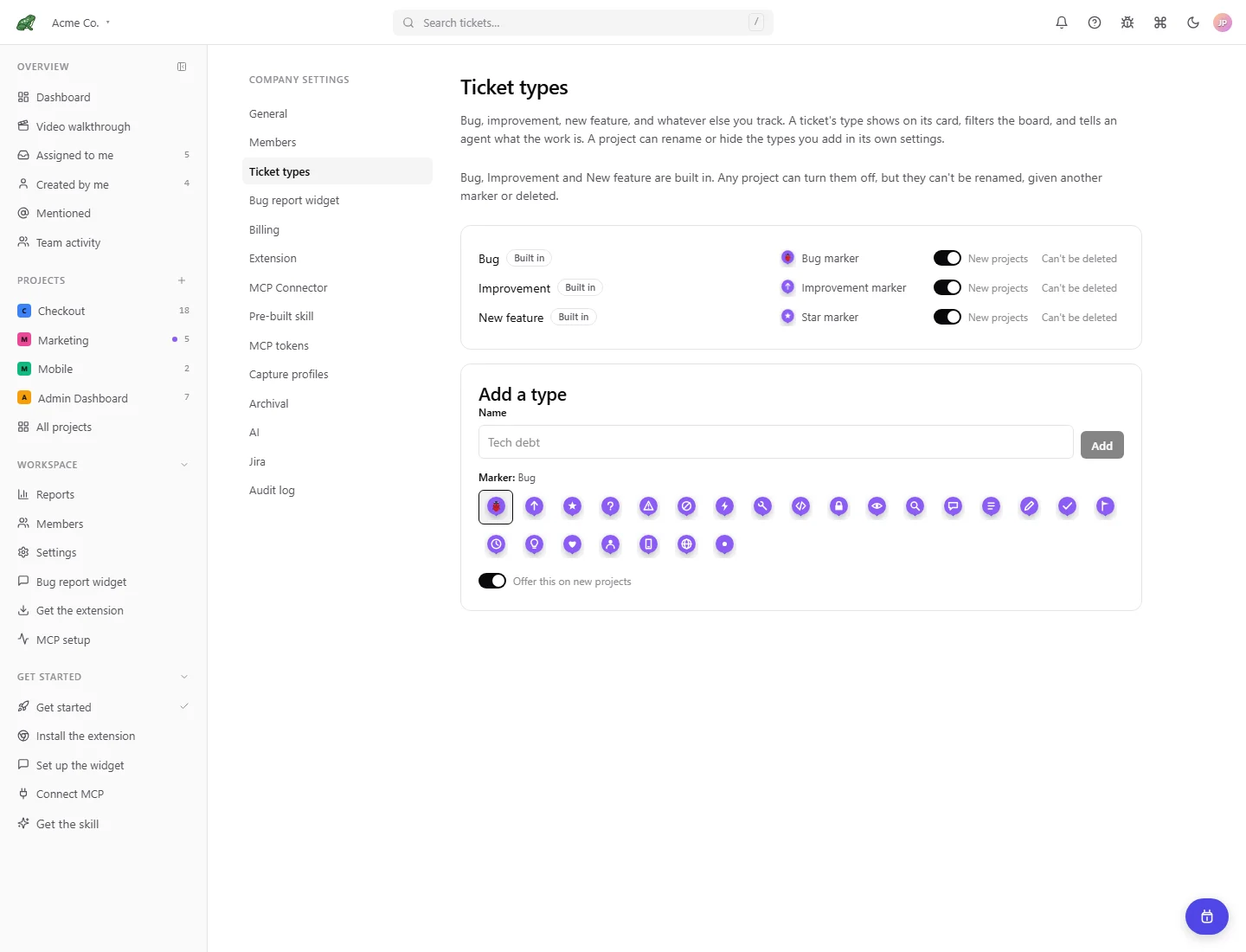
Local demonstration data.
Where to next
- The board, change columns and manage a selection.
- Companies and projects, find workspace and project settings.