
I want to manage today's work
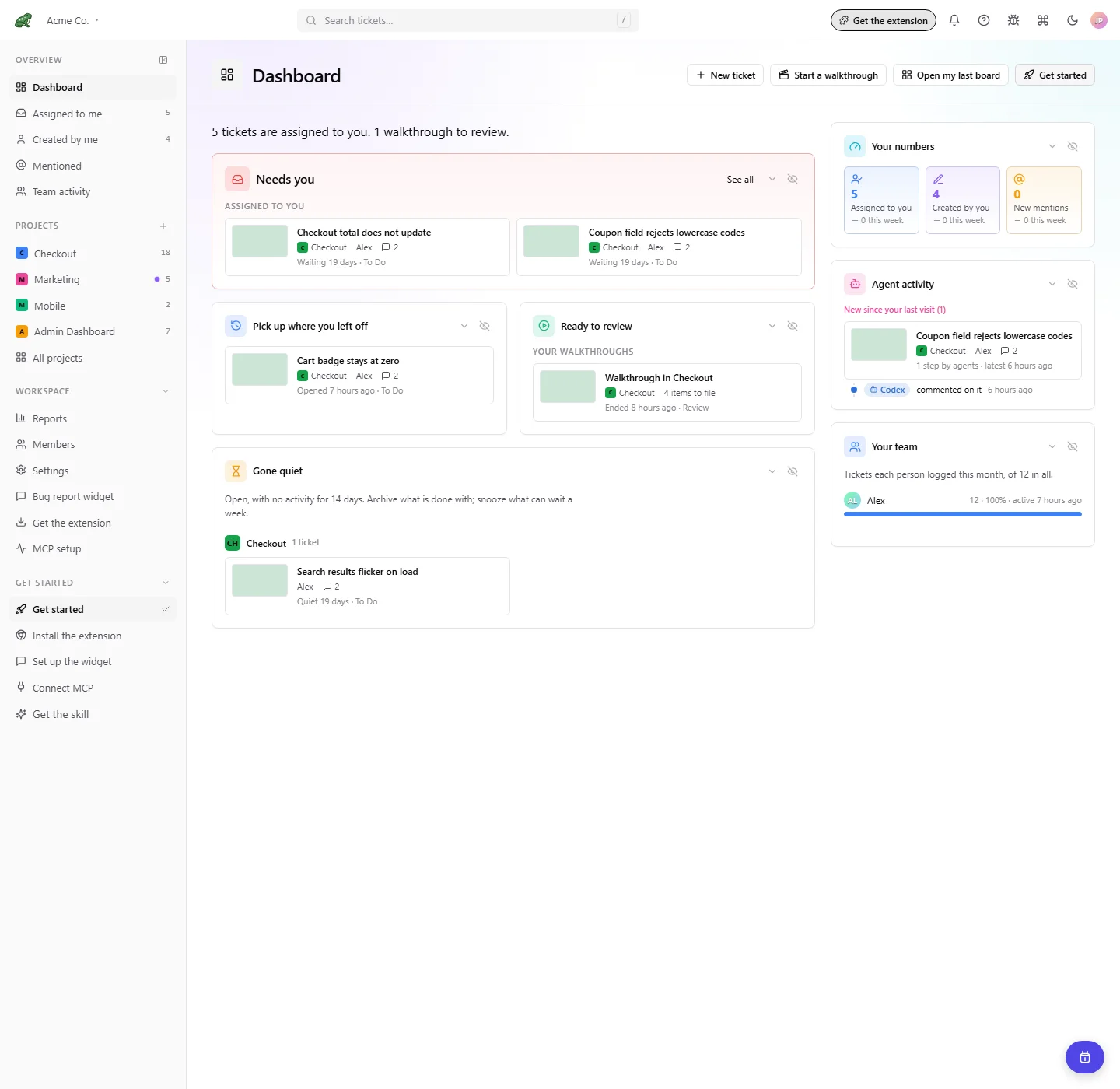 Find tickets that need you, resume work, review walkthroughs, and follow agents from the dashboard.

See the 0.2.0 visual tour for screenshots of the dashboard, every Reports page, Jira, page pins, walkthroughs, and settings.
New in 0.2.0: Dashboard, Reports, Jira, page pins, and walkthrough recording.
I want to manage today's work
Find tickets that need you, resume work, review walkthroughs, and follow agents from the dashboard.
I want trends and recurring problems
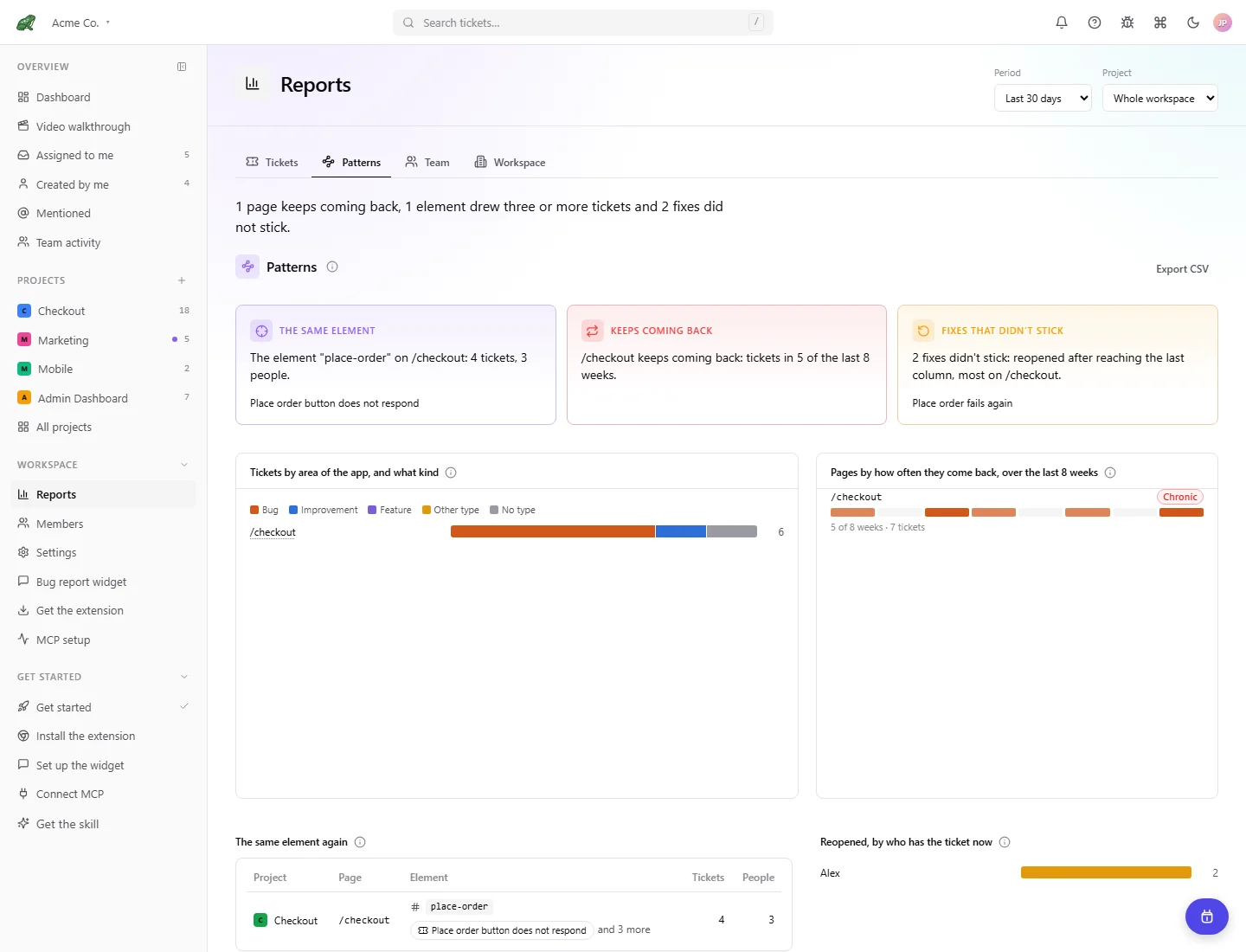 Explore ticket and error hotspots, recurring patterns, time to fix, and team activity.
I want tickets in Jira
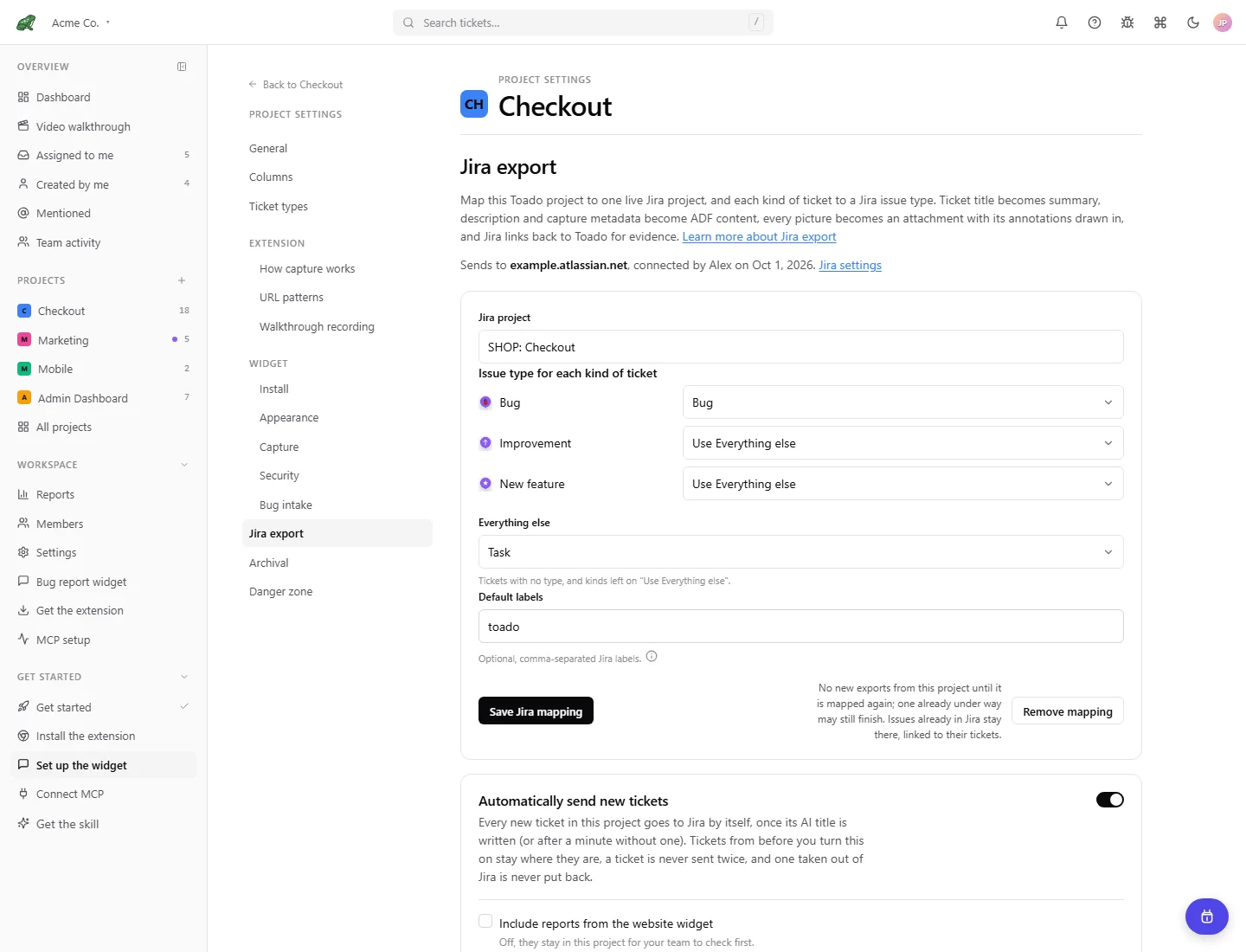 Connect Jira Cloud, map ticket types, send annotated evidence, and optionally automate new-ticket sending.
I want Claude to fix my bugs
Connect Claude Code via MCP, point it at a project, and have it work the To Do column for you.
I'm new to Toado
Install the Chrome extension, place your first page pin, and learn the board.
I want customer bug reports
Install the bug report widget and route context-rich external reports into a project.
I want skill recipes
Drop-in Claude Code skills for triage, verification, and bulk fixes.
I'm building an integration
REST API, webhooks, MCP tool reference. Everything you need to build on top of Toado.
Toado turns visual feedback into work with evidence attached. Pin a bug to an element on a live page, take a classic capture, record a narrated walkthrough, or collect reports through the website widget. Triage the resulting tickets from the dashboard and project board, investigate trends in Reports, then send work to Jira or an AI coding agent through MCP.
| Section | Use it for |
|---|---|
| Getting Started | Account setup, extension install, your first capture. |
| Claude Code & MCP | Connect Claude Code, configure tokens, browse the 34 MCP tools. |
| Skills | Drop-in Claude Code skills like /toado-triage. |
| Chrome Extension | Page pins, capture evidence, shortcuts, and settings. |
| Walkthrough Recording | Recording modes, narrated ticket moments, review, and ticket creation. |
| Using the System | Dashboard, inbox, reports, boards, ticket types, annotations, and search. |
| Teams & Access | Companies, projects, capture profiles, invitations, roles, and tokens. |
| Integrations | Jira export and automatic sending, the bug report widget, and APIs and automation. |
| Reference | Glossary, keyboard shortcuts, security, retention, changelog. |
| Community | Roadmap, feature requests, contact. |