

Reports
Open Reports in the sidebar. Tickets, Patterns, and Team are available on Team, Business, and Enterprise plans. Owners also have a Workspace page on every plan.
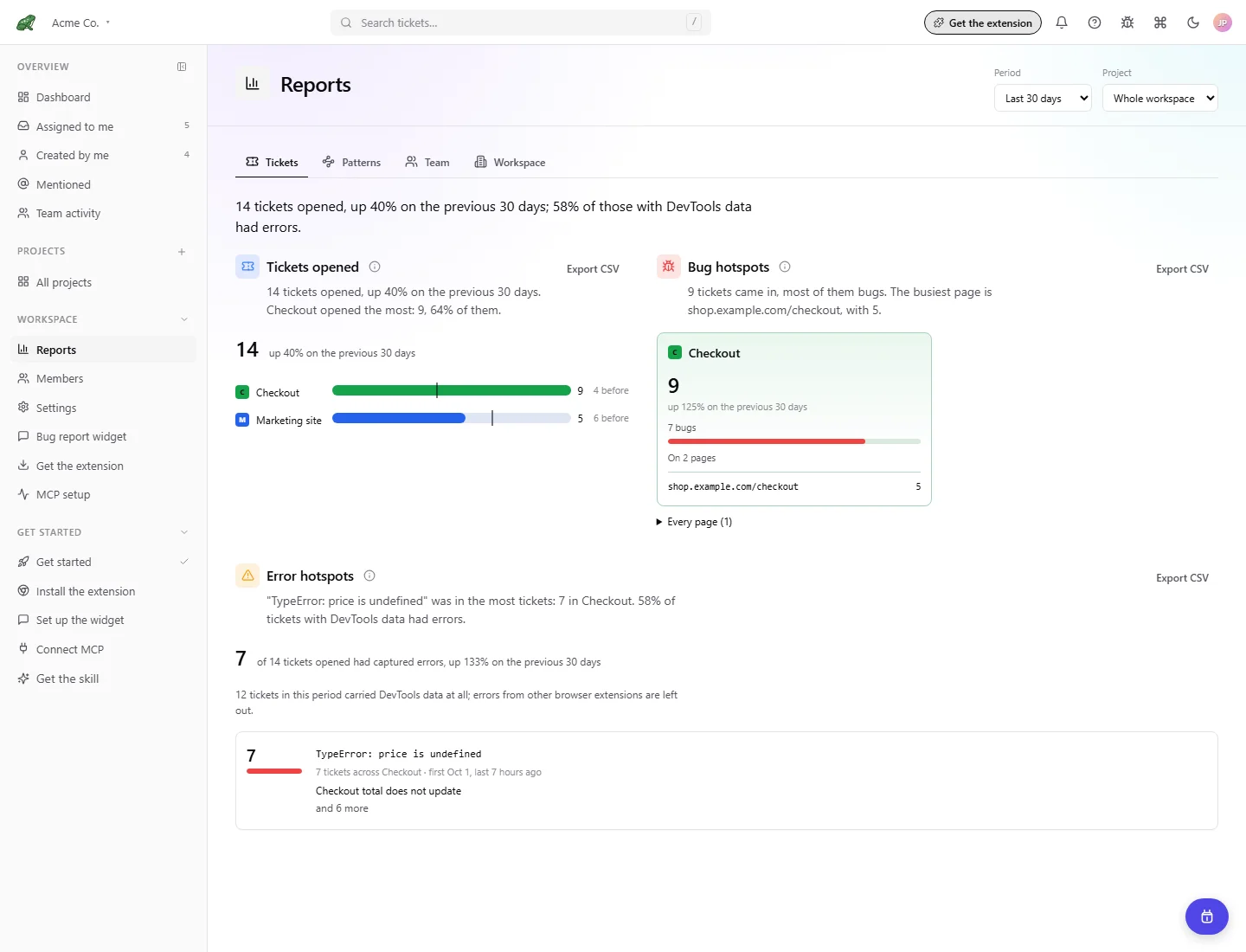
Toado 0.2.0 interface, shown with local demonstration data.
Choose the period and project
Use Period to select This week, Last 7 days, Last 30 days, This quarter, or Custom range. A custom range needs both From and To, with the first day no later than the last. Project defaults to Whole workspace and can narrow the report to one project you can access.
Filters stay in the address as you switch report pages. Copy that address to share the filtered view with a teammate. Their own permissions still determine what they can see. Dates use the viewer’s time zone, so viewers in different zones can see different boundary-day totals.
Reports compare with the previous period. This week and This quarter compare with the same point in the preceding week or quarter; rolling and custom ranges compare with the preceding range of the same length.
Tickets
| Report | What it means |
|---|---|
| Tickets opened | Tickets created in the period, overall and per project, compared with the preceding period. |
| Bug hotspots | Where reports came from: tickets, bugs, and pages grouped by project. Expand Every page for the page list. |
| Error hotspots | Captured JavaScript errors grouped by message. A count is the number of tickets containing that error, not how many times the error fired. Errors from other browser extensions are excluded. |
Open a linked ticket to investigate the evidence. An error’s ticket link opens its Errors tab. Tickets made by hand can appear without a page. An error report covers captured evidence, so it does not measure every error experienced by every visitor.
Patterns
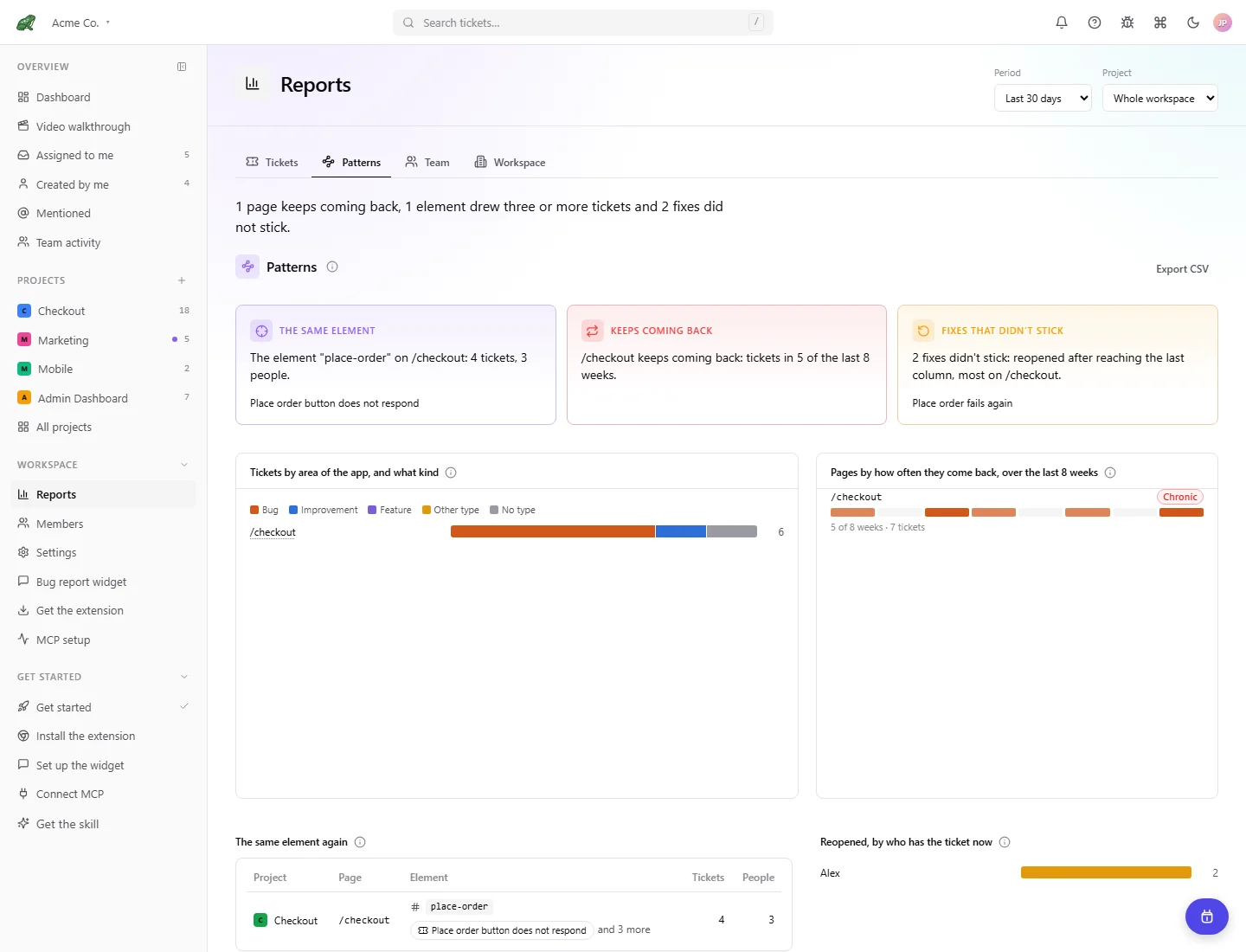
Patterns looks for recurring problem areas: tickets by area and type, pages that return across weeks, repeated reports on the same element, and reopened tickets. A chronic page has reports in at least three of the last eight weeks. Use these findings to choose an area to investigate, then inspect the linked tickets.
Team
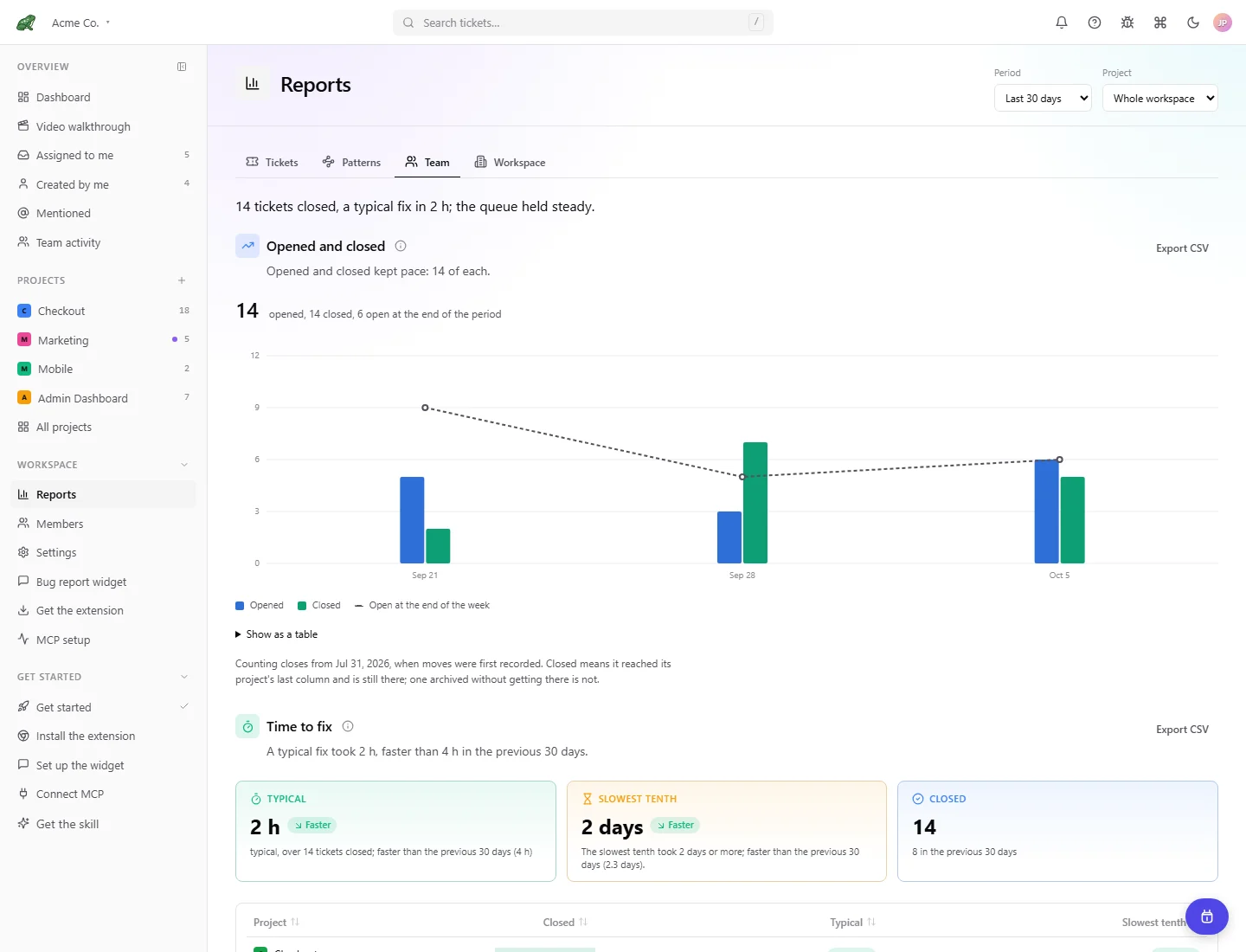
- Opened and closed compares weekly arrivals and closures with the queue left open at each week’s end.
- Time to fix measures capture to the project’s last column. Typical is the median; Slowest tenth is the 90th percentile. It also lists slow tickets per project.
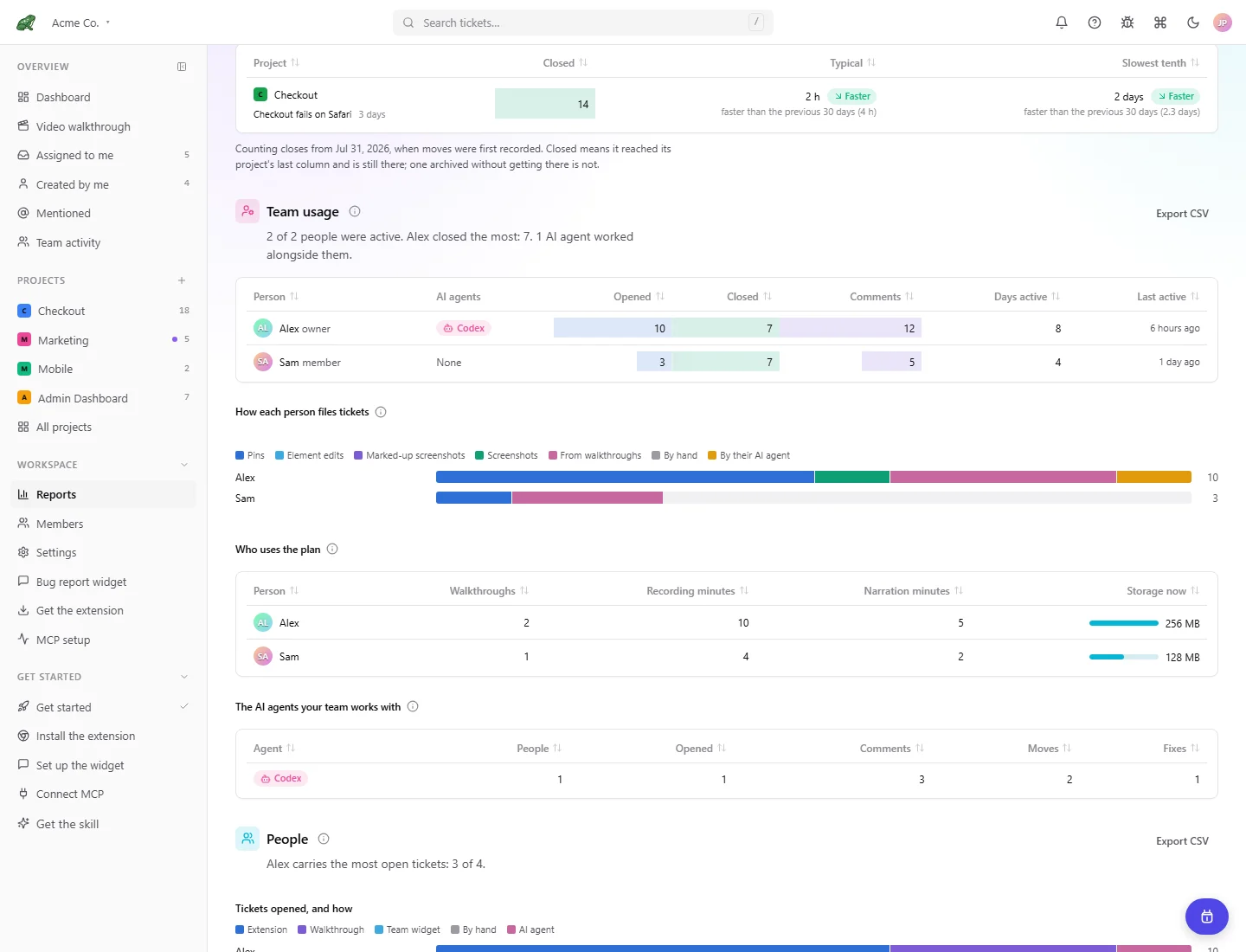
- People shows tickets opened by capture method, closed while assigned, currently carried, and sent to Jira. Owners see the team; other members see their own numbers.
- Team usage, for owners, adds comments, active days, AI agent activity, capture methods, walkthrough and narration minutes, and current storage per person.
In these reports, closed means reaching the project’s last column. It is not the independent Resolved flag. Where history starts partway through the selected period, a Counted from note explains the coverage. Current queue and storage figures describe the present, even when the activity period is in the past. Agents that only read tickets do not appear in the team agent activity table.
Workspace, for owners
Workspace shows Connected systems, Plan usage this month, and Plan and people. Check extension, Jira, widget, and AI connection status, follow setup links, or review current usage and seats. This page has no period filter and remains available to owners below Team.
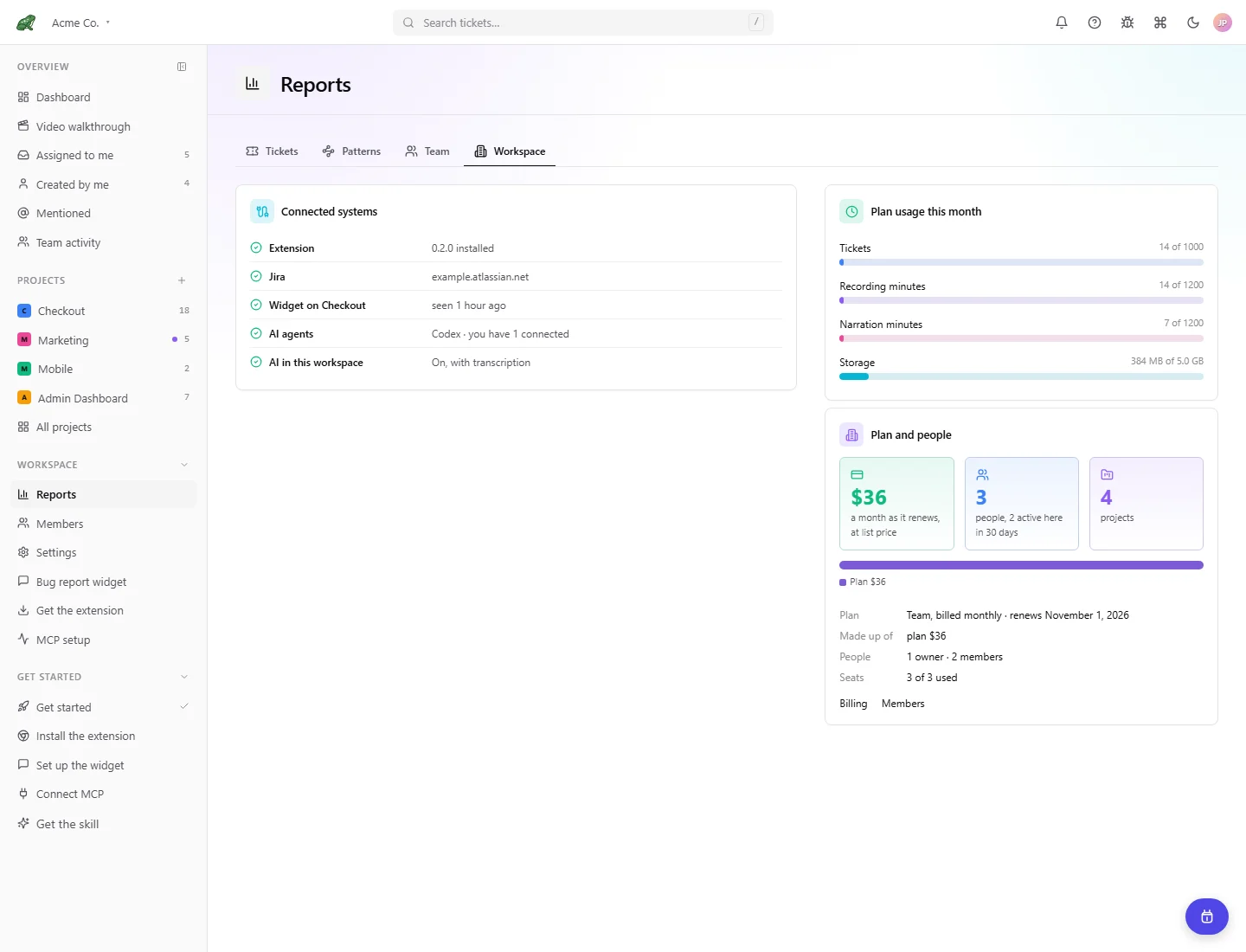
Demonstration data. Prices and allowances in the image are examples; use your workspace’s Billing page for current values.
Export and troubleshoot
Use Export CSV on a report to download its displayed rows. Sort table headers where offered; chart alternatives such as Show as a table make the underlying counts easier to read.
An upgrade explanation means the workspace plan does not include historical reports. An empty report can simply mean no matching activity. If a report says the range is too slow to load, choose a shorter period. Check coverage notes before treating a missing count as zero.
Where to next
- Dashboard, act on current work.
- Ticket detail, inspect the underlying capture.
- Jira integration, send selected or new tickets to Jira.