

Audit log
The audit log records every mutation in a company: who did it, when, and to what. Open Company settings › Audit log (/company/settings/audit).
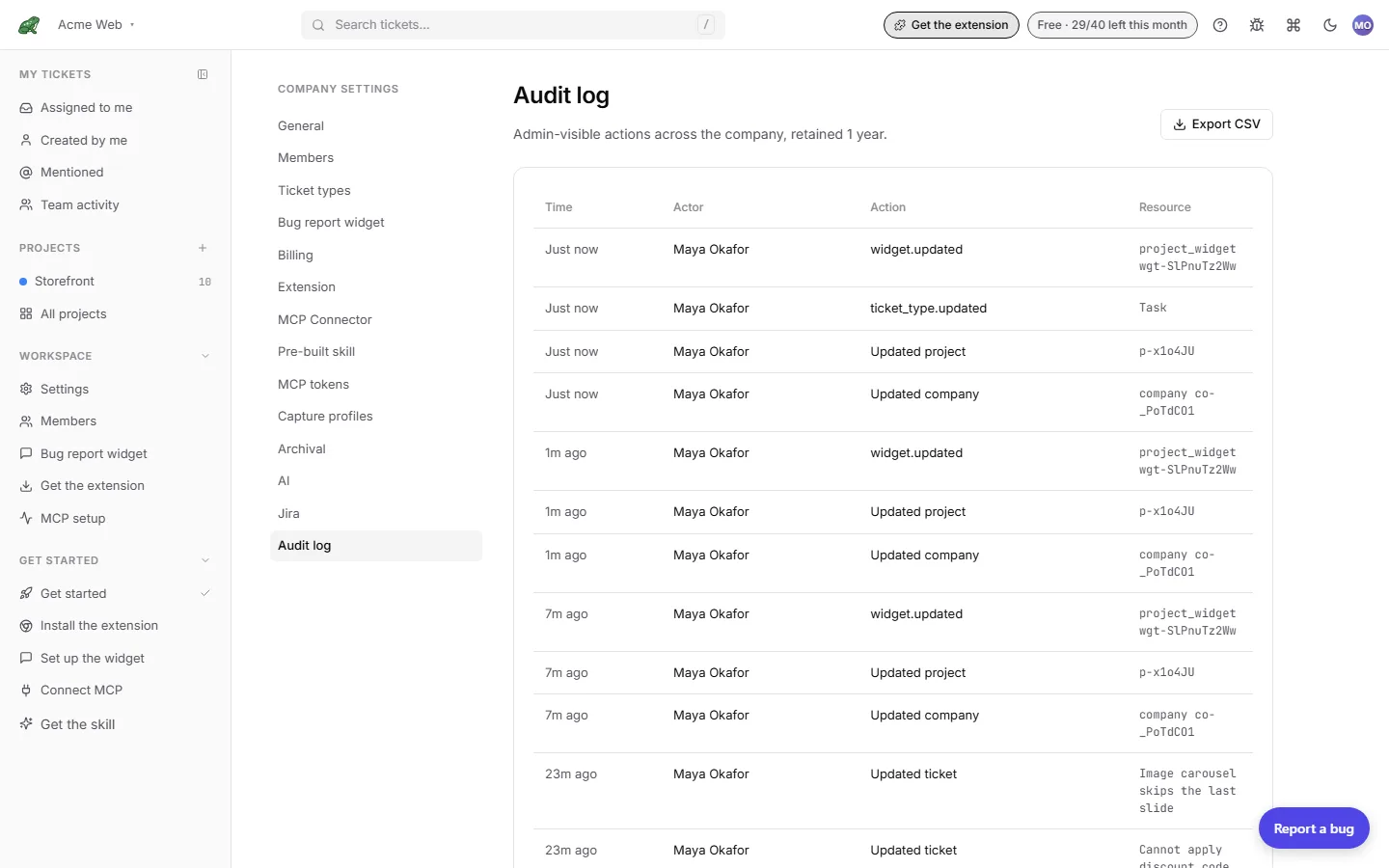
What it shows
The table has four columns: Time (relative, hover for the exact timestamp), Actor, Action, and Resource. The 100 most recent entries are shown.
- An action taken over MCP is marked via MCP next to the actor.
- A member who has since been removed appears as Former member. Their id is still in the export.
- The resource column shows the ticket id, project id, member email, or name, depending on the action.
Entries are retained for one year.
What is recorded
| Area | Actions |
|---|---|
| Tickets | Created, updated, moved, assigned, unassigned, archived, restored, deleted. |
| Comments | Created, updated, deleted. |
| Projects and columns | Project created, updated, deleted; columns updated. |
| Members | Invited, invite resent, invite revoked, joined, role changed, removed. |
| Company | Updated, deleted. |
| Capture profiles | Created, updated, deleted. |
| Jira | Connected, disconnected, mapping updated or deleted, export requested, completed, or failed. |
Reads are not logged. Draft tickets are logged when they are marked ready, which is when they become visible to the team.
Export
Export CSV downloads the full log. The export is owner-only and, unlike the on-screen table, includes actor emails, so it is useful for compliance and incident response. The table stays email-free because passive views are easy to leak in a screenshot.
Where to next
- Roles & permissions for who can see and export the log.
- Reference › Security for the wider security picture.
- Reference › Data retention for retention periods.