

Widget capture
The widget records evidence available inside a page where its script is installed. Choose a level under Project Settings → Widget → Capture. New widgets start on Standard; use Deep only when its extra network detail is necessary and tested.
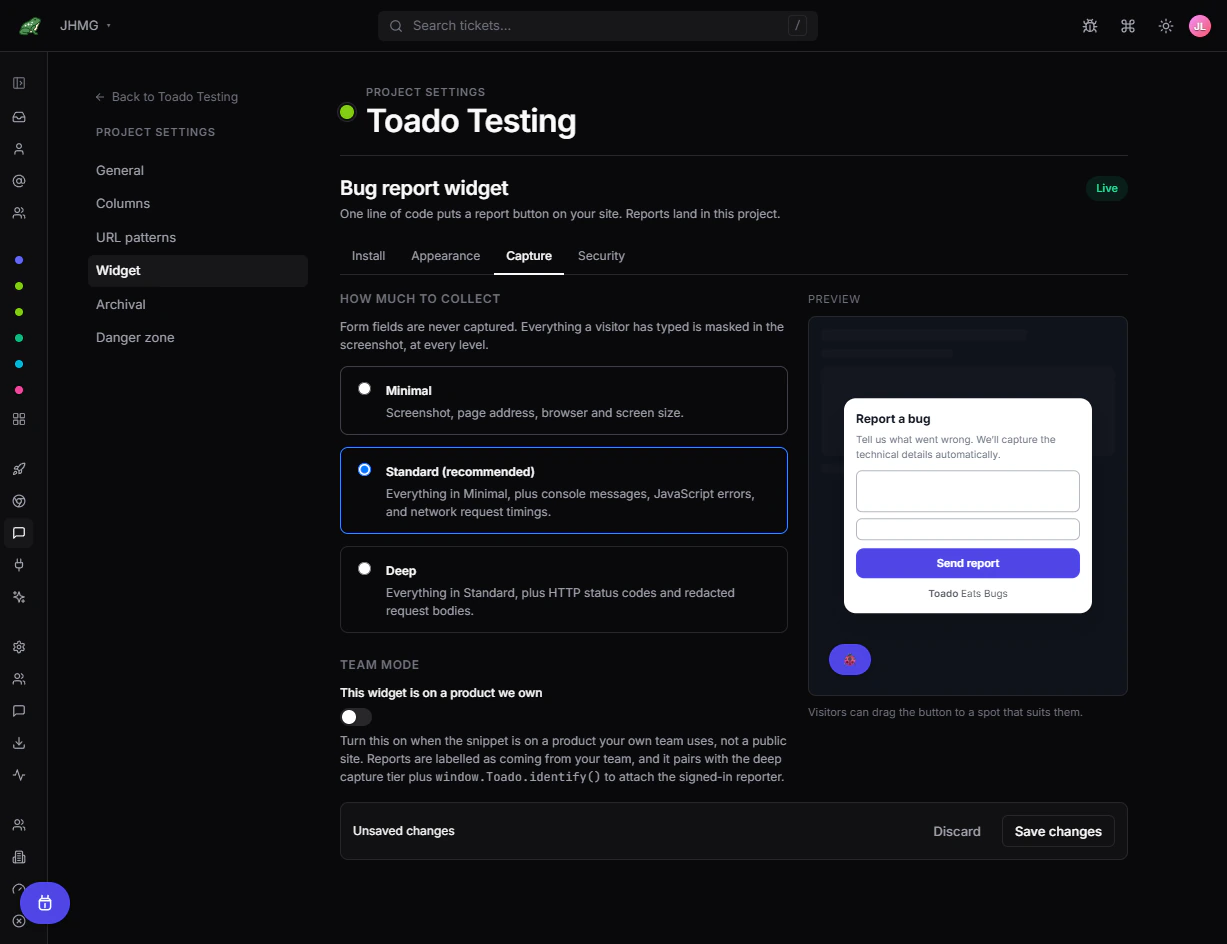
Capture levels
Widget Studio names three, and describes them like this:
| Level | Evidence |
|---|---|
| Minimal | Screenshot, page address, browser and screen size. |
| Standard (recommended) | Everything in Minimal, plus console messages, JavaScript errors, and network request timings. |
| Deep | Everything in Standard, plus HTTP status codes and redacted request bodies. |
Minimal is the only level that collects no console, error, or network history: choosing it stops those collectors outright rather than dropping the data later. Standard reads network entries passively, through the browser’s own performance timings, so it never touches fetch or XMLHttpRequest. Every level sends the page address and the reporter’s browser string, viewport, and device pixel ratio.
Credential-shaped values are stripped in the reporter’s browser before anything is uploaded, and again on arrival: authorization and cookie headers, API-key and webhook-signature headers, and query parameters such as tokens, keys, and OAuth codes. The lists are Toado’s own and are not configurable per workspace. Form-field contents are masked in screenshots at every level. The widget also excludes its launcher, dialog, configuration requests, and submission traffic from the evidence it collects.
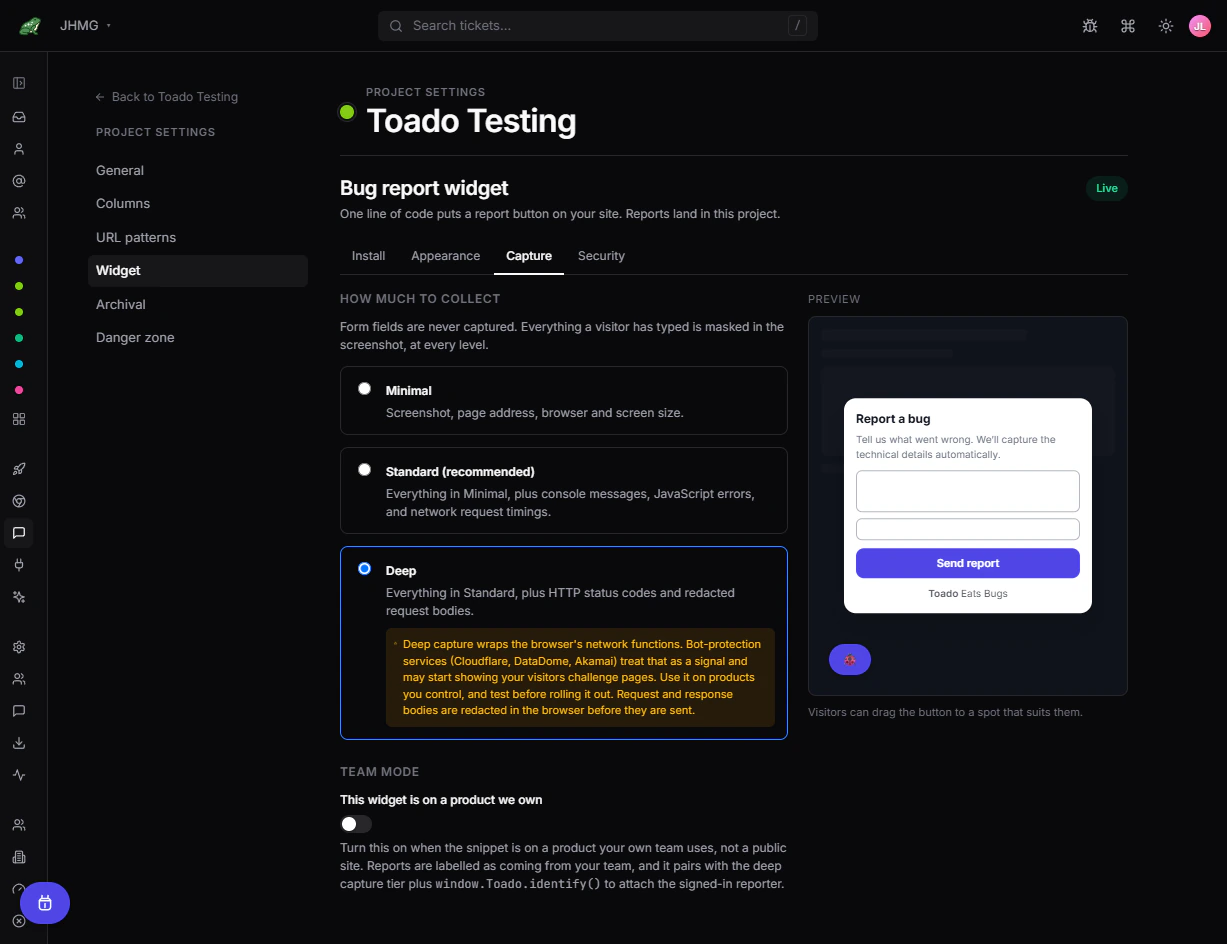
Deep capture changes page networking by wrapping browser APIs. Bot-protection and anti-tampering services (Cloudflare, DataDome and Akamai are the ones Toado names) may detect that behavior or show challenges. Test login, checkout, API, upload, streaming, and challenge flows. If behavior changes, return to Standard and save immediately.
Screenshot limits
The widget serializes the visible page into an SVG and draws it to a canvas; it does not receive privileged browser screenshot access. What that costs, plainly:
- It photographs the viewport, not the full page, and the image is capped at 1600px wide.
- Images render only from
data:URIs, so pictures loaded from a URL, including same-origin ones, come out blank. <canvas>,<video>, WebGL surfaces, and cross-origin iframes render blank.- Every input, textarea, and select renders as a masked box, deliberately, so nothing a visitor typed is photographed.
- Very large or very heavy pages stop being copied once an element or time budget is spent, so the image can be partial rather than wrong.
Ask the reporter to describe missing content, or use the Chrome extension when a browser-level image matters.
Recording, pointing, and Team pins
The current Capture page also offers Recording and Pointing controls where available. Visitors can record with optional voice, point at elements, review notes and types, then send reports. Visitor recording requires an eligible paid plan and a non-empty strict allowlist, which can use supported wildcard entries. Authenticated Team pins requires exact allowed origins. See Widget recording and pointing for setup, privacy, and limits.
Team mode
Team mode is on / Team mode is off is the first control on the Capture page. Turn it on only when the snippet is on a product your own team uses, not a public site. It changes four things at once: reports are badged Team snippet instead of Widget, quick capture becomes available, window.Toado.identify() can attach the signed-in reporter, and the captcha behaviour below changes.
A team-mode widget whose allowed-sites list is not empty skips the visitor captcha, on the report form and on the handoff alike, and the widget stops loading Turnstile at all. This is deliberate: these reporters often run the Toado extension, whose network wrapping trips Cloudflare. Origin checks and rate limits still apply and are what bound abuse in its place. A team-mode widget with an empty allowlist keeps the captcha.
Quick capture does not file a ticket directly. It parks the capture, opens Toado in a new tab, and that page claims it with your own session: the claim needs a signed-in user with write access to the project, the link is single use, and it expires after 30 minutes. What you get is a draft ticket you own, in the first column, not an anonymous report. Nothing is filed and nothing counts against the ticket allowance until the claim succeeds.
The dialog’s Open in Toado button is different from the shortcut: it appears only when the widget can confirm a live Toado session, which it can do only on a same-origin embed. On a third-party site the button stays hidden, so an anonymous reporter never sees it.
Team mode does not authenticate a customer-site user by itself. Attaching identity is the host product’s job, through window.Toado.identify(). When the email field is hidden, the identified address is sent; when the field is shown, whatever the reporter typed wins, including an address they deliberately cleared.
Widget compared with the Chrome extension
| Bug report widget | Chrome extension | |
|---|---|---|
| Best for | Reporters on a site you control | Signed-in team members on any capturable page |
| Installation | Project script on the site | Browser extension per member |
| Account needed | No for external reports | Yes |
| Screenshot | DOM-rendered, with web-content limits | Browser-privileged capture |
| Technical context | Minimal, Standard, or opt-in Deep | The extension pipeline, described in Classic capture |
| Destination | Project configured for the key | Project chosen by the user |
The paths overlap but are not identical. Do not use one path’s evidence guarantees to describe the other.
Where to next
- Bug report widget, install and quickstart.
- Widget appearance, the launcher, dialog, and questions.
- Widget security, allowed sites, captcha, CSP, and keys.
- Bug intake, where reports land on the board.
- Widget troubleshooting, when capture is wrong or missing.