

The pins panel
Click the Toado icon in the toolbar, or press Alt + B , and the panel opens over the page. It is a floating card headed Pins on this page, drawn inside a closed shadow root so the site cannot read or restyle it. Drag it by the Move handle; it remembers its position per site.
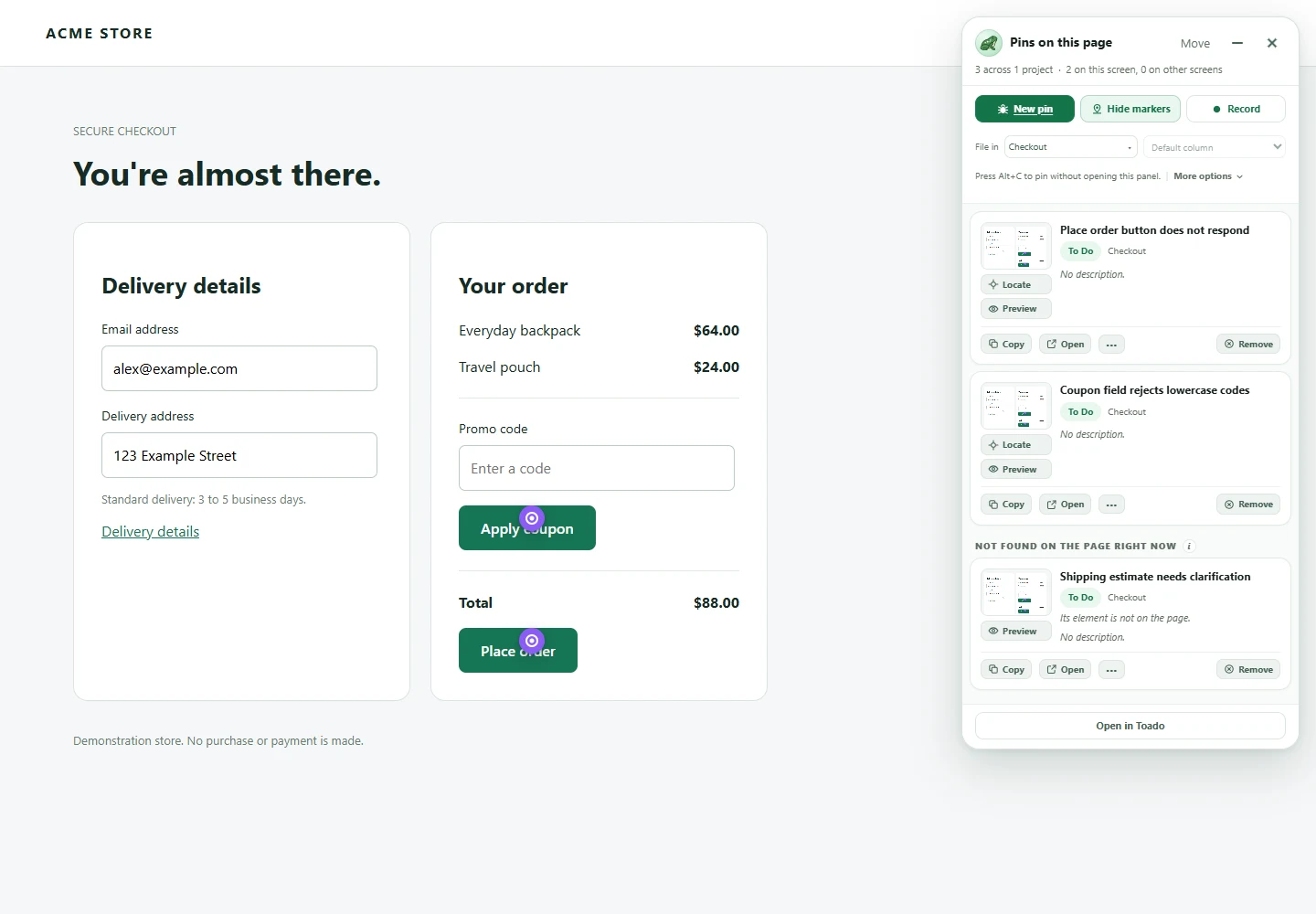
Toado 0.2.0, shown with local demonstration data. Select the image to view it at full size.
If the panel does not appear, the page is either one the panel cannot run on or a site no project has claimed yet. See Site claiming and projects for the second case and Troubleshooting page pins for the rest.
The header
| Control | What it does |
|---|---|
| Pins on this page | The heading, with a count: “3 across 2 projects”. |
| Move | Drag handle. Arrow keys work too. |
| Minimize | Folds the panel into the pill. Tooltip Minimize, screen reader label Collapse page pins. |
| X (Dismiss page pins on this site) | Hides the panel on this site for now. Pressing Alt + C or New pin brings it back. |
The top row
Three actions, and each has a tooltip that says what it does.
| Button | What it does |
|---|---|
| New pin | Arms pin mode: “Click any part of the page to file a ticket pinned to that spot, with the screenshot and console attached.” Disabled until a project is chosen. See Placing a pin. |
| Show markers / Hide markers | Draws a marker on the page for every ticket already pinned here, or takes them off again so you can see the site. Markers are hidden by default on each site. |
| Record | Starts a walkthrough: “Records the screen while you talk. Alt+click anything you mention and Toado writes a ticket for each one from what you said.” The panel folds into the recording pill when the recording starts. |
Open in Toado sits at the foot of the panel. It opens one tab showing the pins on this page on the board, not one tab per pin.
Where a new pin goes
Under the top row are two pickers.
| Picker | What it does |
|---|---|
| File in | The project a new pin lands in. Preselected from the project whose URL patterns match this page. Type to filter; “No projects match” means nothing in your cached list fits. |
| Column for a new pin | The column in that project. Shows Default column until you choose one. |
Below the pickers: “Press Alt+C to pin without opening this panel.” The hint disappears if the shortcut has been unbound in Chrome. If your workspace has used its monthly ticket allowance, a notice from the server appears here instead of on the buttons.
The list
Each pin on this page is a card.
| Part of the card | What it shows or does |
|---|---|
| Title | Press to edit. Reads Untitled pin until a title exists, and Toado is writing a title… while one is being generated. |
| Column badge | The column the ticket is in. Press it to move the ticket to another column of the same project. |
| Project name | Which project the pin belongs to. |
| ”placed by position” | Shown only when Toado could not identify the element under the pin, so the marker is held at the spot it was placed and will not follow the element if the page changes. |
| Description preview | The first two lines. Press to edit. “No description.” when empty. |
| Assignees | Initials of up to four assignees, only when someone is assigned. |
| Thumbnail | The banked screenshot. Click it, or press Preview, to open it full size. |
| Locate | Scrolls to the marker and flashes it, even while markers are hidden. |
| Preview | Opens the full-size screenshot with zoom, editable title and description, Open in Toado, Copy link, and ticket controls. |
| Copy | Copies the ticket link. Reads Copy link in the menu and to a screen reader. |
| Open | Opens the ticket in Toado. |
| … | Open ticket, Copy link, Copy branch name. |
| Remove | Press once and it reads Remove?; press again to archive the ticket. It leaves the page and list with a ten-day removal deadline; restore from Archive before that deadline to cancel deletion. The confirmation reverts on its own if you walk away. |
Pins whose element can no longer be found on the page are listed under Needs a new location. They keep their screenshot and ticket; only the marker is missing.
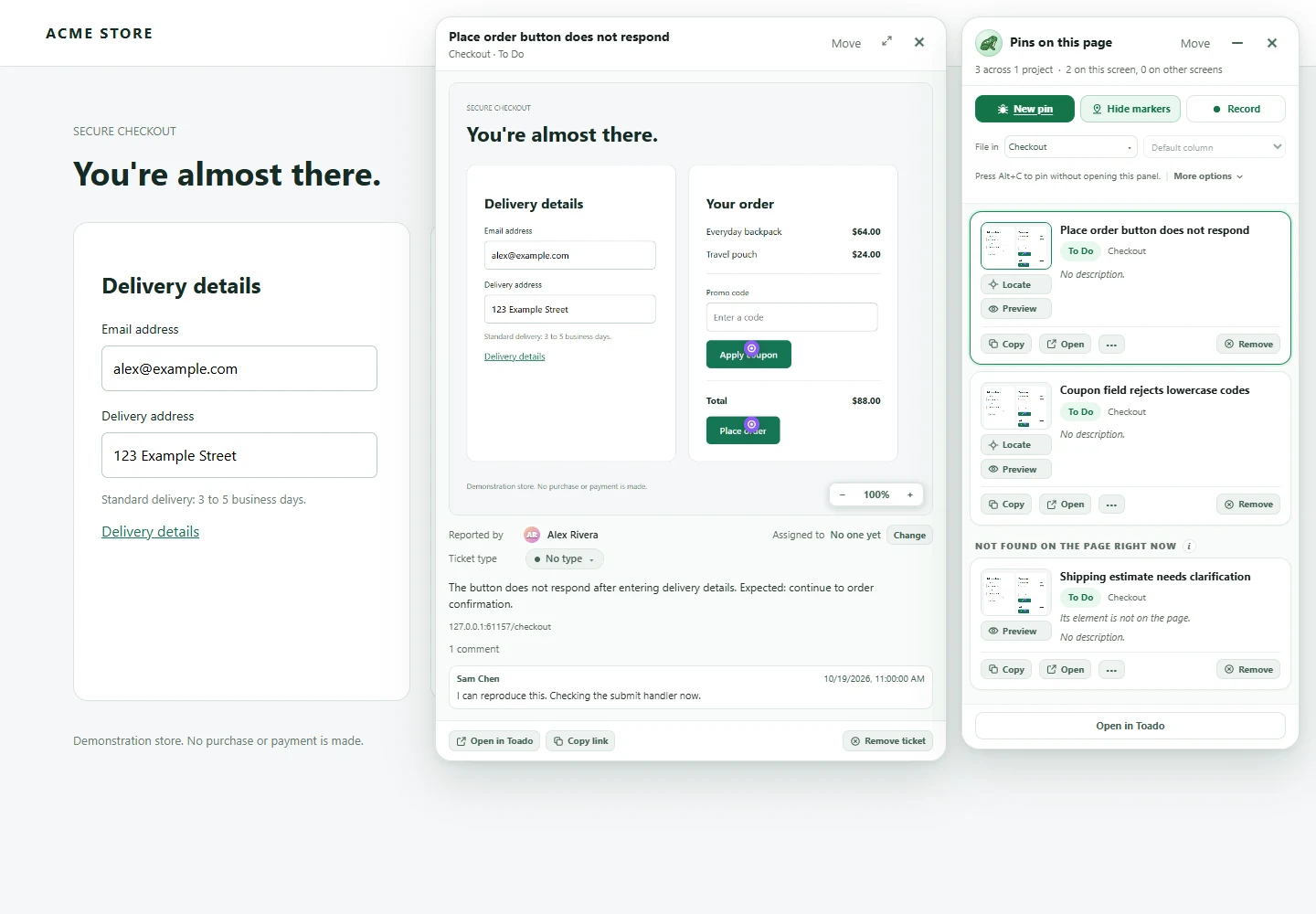
Toado 0.2.0, shown with local demonstration data. Select the image to view it at full size.
Markers
Markers are the same pin you chose in Pin style, drawn on the page at the element each ticket was pinned to. They are off by default on every site, so somebody sharing their screen does not reveal a list of bugs on a client’s page. Press Show markers to see them. The choice is remembered per site.
Hover a marker to see the ticket title. Locate on a card finds a marker whether or not markers are showing.
More options
Press More options (it becomes Fewer options) to open the section under the pickers.
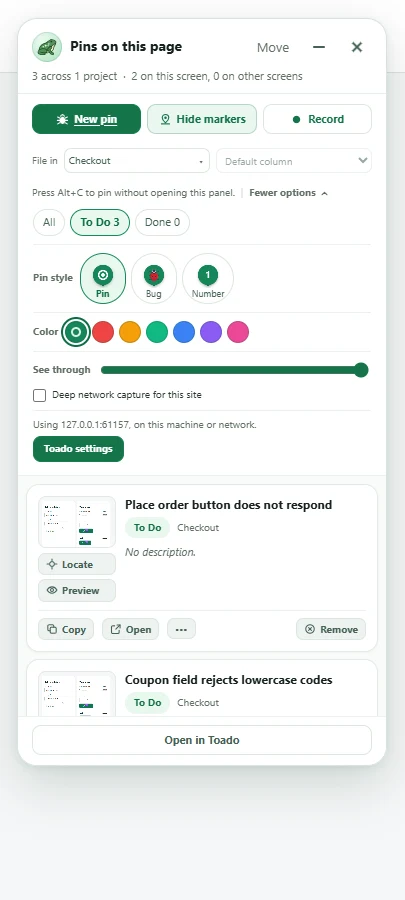
Toado 0.2.0, shown with local demonstration data. Select the image to view it at full size.
| Control | What it does |
|---|---|
| Filter: All, To do, In progress, Done | Which pins the list shows. “No pins match this filter.” when none do. |
| Pin style: Pin, Bug, Number | The marker for new pins. Bug draws one of five bug species, picked at random when the pin is saved. Number asks for a number in the composer. |
| Colour | Project colour (the default, the project’s own colour) or one of six swatches. Use it when the project colour disappears against a site. |
| See through | A slider, labelled Panel transparency for screen readers. The panel fades while you drag so you can see what you are setting. |
| Deep network capture for this site | Keeps request and response bodies in captures from this site, not just the list of requests. Off by default. When on, a warning says: “Deep capture reads response bodies and may break bot-protected sites. Turn it off if verification loops appear.” |
| Connection lines | Shown only when there is something to say: “Offline. Pins will be filed when the connection is back.” or a line naming a backend that is not Toado. |
| Toado settings | Opens the options page. |
The full options page is described in Panel options and settings.
The pill
Press Minimize and the panel folds into a small pill reading Page pins with the pin count. Hover it and it says Click to open; hover a little longer and three buttons stack out of it: New pin, Show markers (or Hide markers), and Record, each with the same tooltip as the panel. The pill can be dragged and dismissed like the panel.
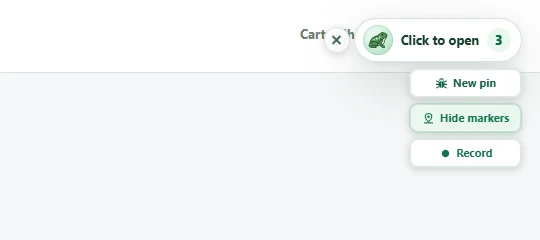
Toado 0.2.0, shown with local demonstration data. Select the image to view it at full size.
While a walkthrough is recording, the pill carries the timer and Stop. Stop is two clicks: the first turns the button into Are you sure? and announces “Press Stop again to end the recording.”; the second ends it. The confirmation times out on its own.
Offline and allowance
If the browser is offline, the panel says so in More options and new pins queue until the connection is back. If your workspace has used its monthly ticket allowance, the composer says “Your capture limit has been reached.” and the pin is not queued.
Where to next
- Placing a pin, what happens between New pin and the ticket.
- Site claiming and projects, the card you see on a site no project claims.
- Panel options and settings, the options page behind Toado settings.
- Troubleshooting page pins, when the panel or a marker is missing.