

Capture profiles
Workspace owners manage Capture profiles in Company settings. A profile determines what Toado may capture for matching addresses and can add header or query-parameter names to redact. Members can read profiles; owners create, edit, and delete them.
Choose the capture mode
| Mode | Effect |
|---|---|
| Full capture | Allows the normal capture pipeline, subject to built-in redaction and capture availability. |
| Metadata only | Removes request and response bodies and withholds screenshot, thumbnail, and annotated image assets. Extension page pins are blocked because they require a screenshot. |
| Never capture | Blocks capture for matching addresses. |
Use Never capture for pages whose content must not be submitted. Metadata only retains permitted debugging metadata without the normal visual capture. Choose Full capture when screenshots and page pins are required.
Add a rule
- Open Company settings > Capture profiles and add a profile.
- Name it so teammates understand the rule.
- Choose whether it covers the whole site or an Address pattern.
- Select the capture mode and any extra redaction names, then save.
Patterns support a trailing wildcard, rather than arbitrary regular expressions. Add separate rules for subdomains. Fragments after # do not distinguish rules. When multiple rules match, the most specific prefix wins. Without a matching profile, the normal Full capture policy applies.
For example, use a broad site rule for your application and a more specific Never capture rule for its sensitive account area. Check the stored pattern after saving before relying on that policy.
Add redaction names
Extra redactions identify header or URL query-parameter names. These supplement the built-in redaction rules; they do not turn automatic redaction off. Names are matched without case sensitivity.
A profile controls capture policy. Project URL patterns control which project a capture belongs to. Set both when you need a site routed to a project and restricted by a capture policy.
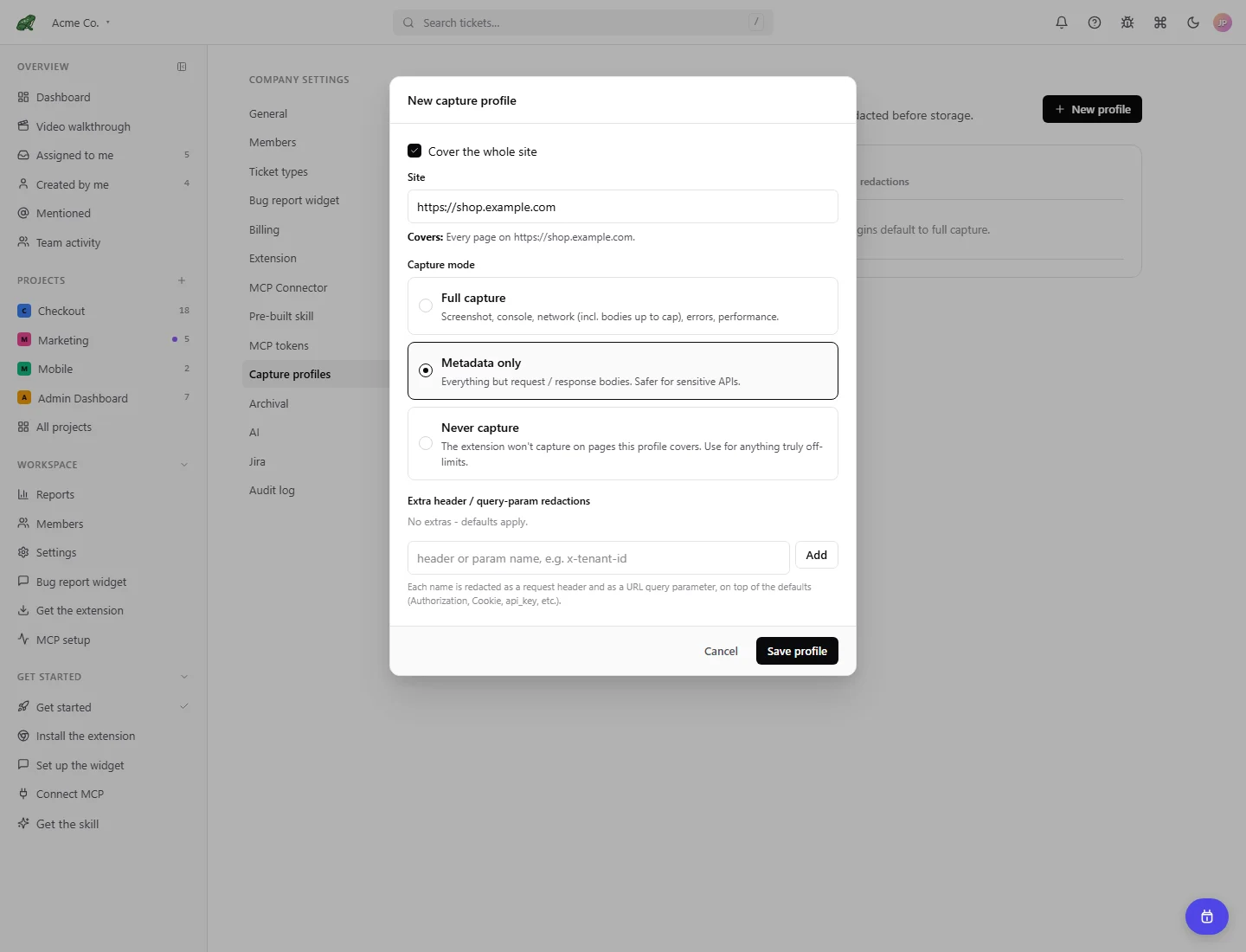
Local demonstration data. The short Metadata only hint does not list every restriction: the policy also withholds screenshots and blocks page pins, as described above.
Where to next
- Companies and projects, configure project routing.
- Extension settings, account connection and local redactions.
- Permissions and privacy, understand the capture boundary.