

Drafts
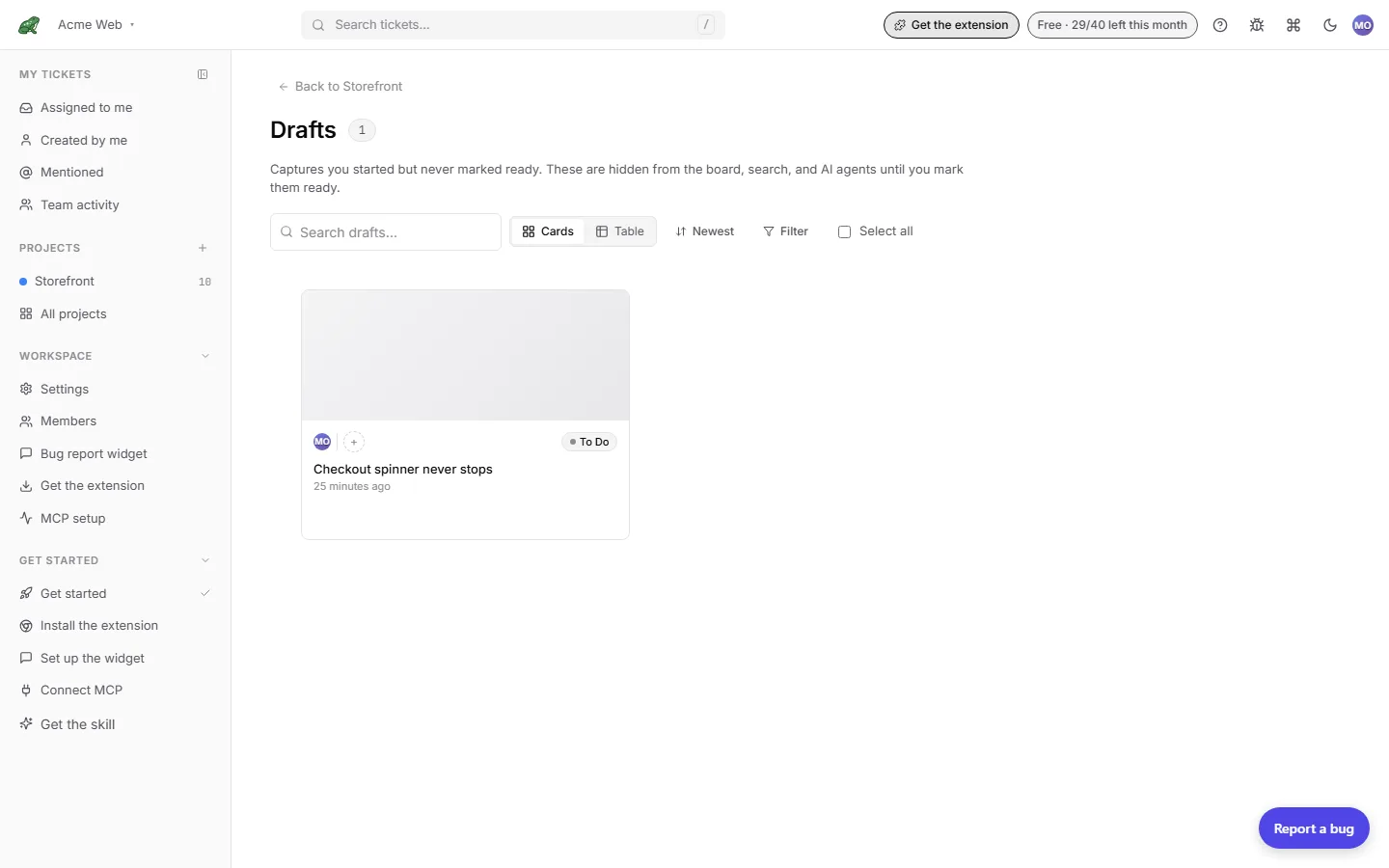
A draft is a ticket you began from a capture and never marked ready. Drafts are hidden from the board, search, the archive, and AI agents until you mark them ready, and only their creator can see them. Each project’s drafts live at /projects/:id/drafts.
What becomes a draft
| How the ticket was created | Starts as |
|---|---|
| Classic whole-page capture from the extension (Alt+C with in-page logging off, or Capture) | Draft, until you click Save & return or Mark ready. |
| A pin placed from the pins panel or by Alt+click during a walkthrough | Ready immediately. A pin is on the board and on the page the moment it lands. |
| A widget report claimed by a signed-in teammate through the handoff link | Draft, so the claimer can finish it before the team sees it. |
| Widget or report-link submission from a visitor | Ready immediately. No author is coming back to finish it. |
| Walkthrough tickets committed from the review page | Ready immediately. |
| Manual tickets and tickets created over MCP | Ready immediately. |
A draft only ever flips one way, from draft to ready. Nothing turns a ready ticket back into a draft.
Autosave while you write
On the ticket page the description autosaves 1.5 seconds after your last keystroke, again when you click away, and once more if you close the tab mid-edit. The title saves when you leave the field. Autosave keeps your text; it does not mark the ticket ready.
When you arrive from a fresh capture, Save & return (⌘/Ctrl+Enter) saves, marks the ticket ready, and sends you back to the tab you captured from. If you close the capture tab without doing that, the ticket stays a draft with everything you typed so far.
A draft you open later (from the Drafts page or a link) shows a Mark ready button under the description instead.
The Drafts page
The page mirrors the archive: a search box (Search drafts…), a Cards or Table toggle, a sort menu (Newest first, Oldest first, Last activity, Most comments), and Filter with assignees, authors, columns, and dates.
Per draft, the overflow menu offers Open draft, Copy link, Open source URL, Mark ready, and Delete….
Tick Select all or individual cards and the bar shows Mark ready N and Delete N. Marking ready is not destructive and needs no confirmation. Delete is permanent: it removes the draft along with its capture and attachments, and asks you to confirm first.
When the project has no drafts the page says so: captures that you never finished writing land here, and hitting Save & return on a capture sends it straight to the board instead.
Where to next
- Ticket detail for the page where a draft is finished.
- Board for where a ready ticket lands.
- Archive & restore for the other place tickets leave the board.