

Bug intake
Bug intake is a holding column for reports from people outside your team, so a person can judge them before they reach the board your team works from. It is off by default and set per project.
Turn it on
Open Project settings › Bug intake (under the Widget group) and tick Route incoming widget reports to a Bug intake column. The same checkbox appears on the Columns tab as Bug intake column, because that is where the column itself is managed. Both show the same server state, so they can never disagree.
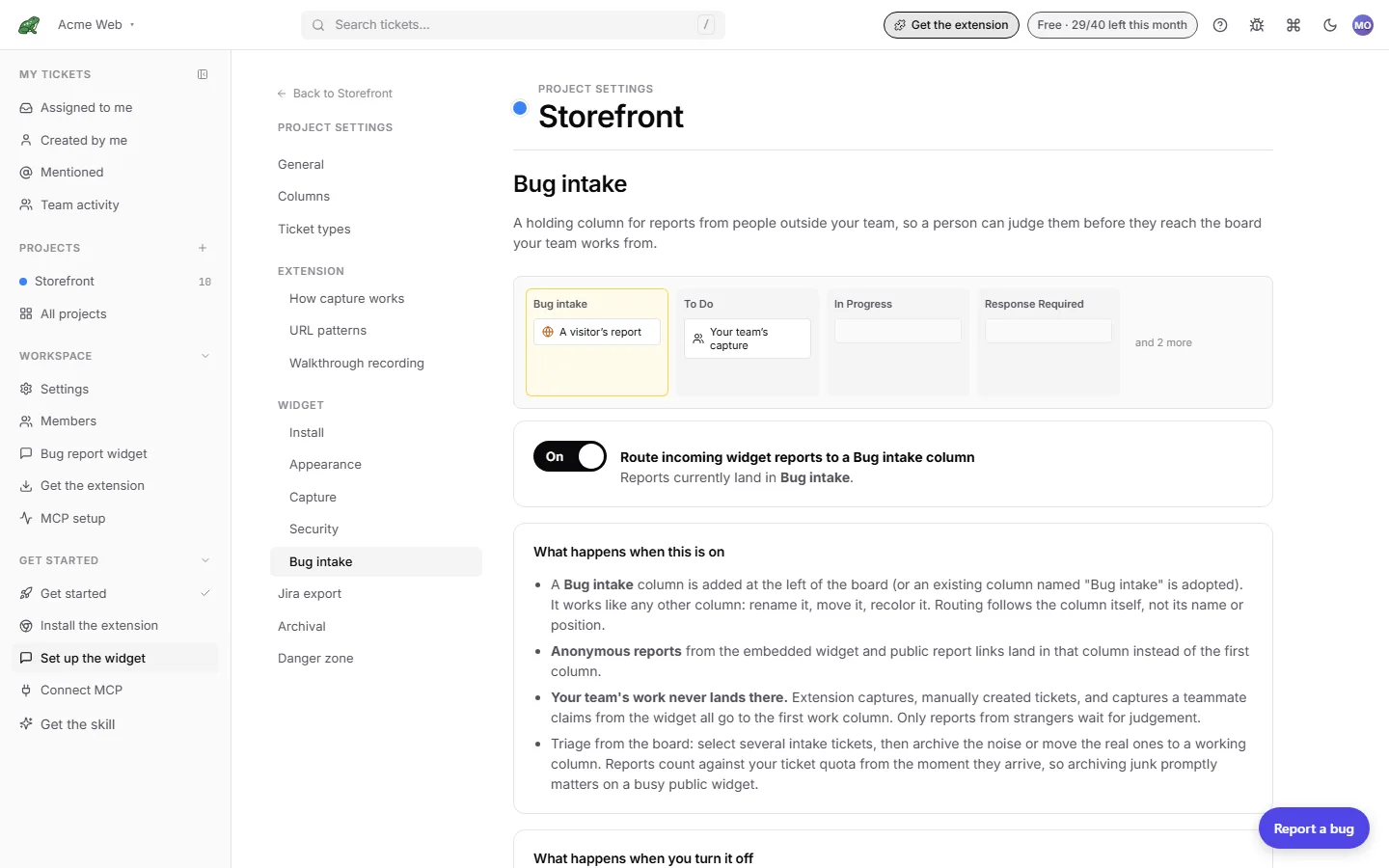
The toggle saves immediately. If you have unsaved edits on the Columns tab, the toggle is disabled until you save or discard them, because enabling intake creates a column and saving stale column state afterwards would delete it.
Once on, the tab says where reports currently land, for example “Reports currently land in Bug intake.”
What happens when it is on
- A Bug intake column is added at the left of the board, or an existing column named “Bug intake” is adopted. It works like any other column: rename it, move it, recolour it. Routing follows the column itself, not its name or position.
- Anonymous reports from the embedded widget and from public report links land in that column instead of the first column.
- Your team’s work never lands there. Extension captures, manually created tickets, walkthrough tickets, tickets created over MCP, and captures a teammate claims from the widget all go to the first work column. Cross-project moves also skip it. Only reports from strangers wait for judgement.
- Reports count against your monthly ticket allowance from the moment they arrive, so archiving junk promptly matters on a busy public widget.
Enabling intake when the project already has 15 columns fails, since it would need a sixteenth. Remove a column first.
Where reports land, by source
| Source | Intake on | Intake off |
|---|---|---|
Widget (widget) | Bug intake column | First column |
Report link (public_link) | Bug intake column | First column |
| Team snippet, extension, walkthrough, manual, MCP | First work column (never intake) | First column |
Approve and reject in bulk
Triage happens on the board. The intake column carries a small intake chip that links back to the setting.
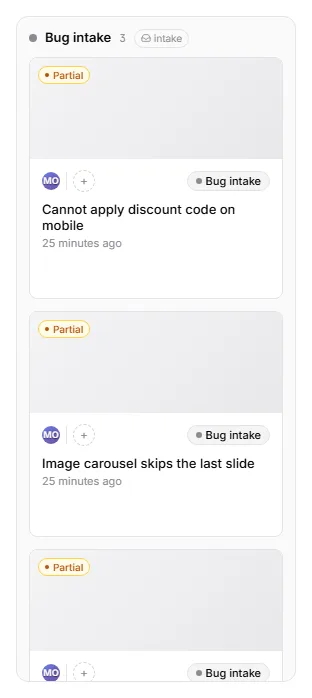
- Turn on From customers in the board toolbar if you want to see only outside reports.
- Select the intake cards you want to act on.
- To approve, click Move… in the bulk action bar and choose a working column such as To Do.
- To reject, click Archive. Archived reports stay restorable from the archive view.
You can also assign a selection in the same bar. There is no separate approve or reject button; move and archive are the two verbs.
What happens when you turn it off
- New reports go back to the first work column, exactly as before.
- An empty intake column is removed. A column still holding tickets stays where it is with everything in it; nothing is ever moved for you, and turning the toggle back on adopts it again.
If intake is enabled but its column was deleted, the settings tab warns that reports are falling back to the first work column. Turn the toggle off and on again to recreate it.
Where to next
- Bug report widget for installing the widget that feeds this column.
- The board for the column layout and bulk selection.
- Search & filters for the From customers filter.
- Archive & restore for what happens to rejected reports.